











FEATURED PRODUCTS
-
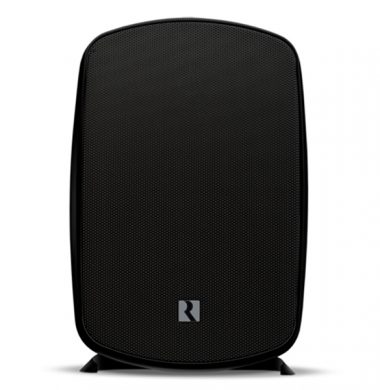
Russound Acclaim 5B65 Outback Speakers MK2 (Pair)
£629.00The Russound 5B65 MK11 OutBack Loudspeakers are designed to deliver rich, full sound in extreme environments, such as a backyard, patio, deck, or other areas subjected to temperature shifts and high moisture exposure.
Their high-efficiency design and multiple mounting options allow these speakers to be easily installed on a wall, eave, pole, corner or as a freestanding stereo pair. With a line up of four models, the OutBack speakers are equipped with features to ensure durability in any outdoor conditions.
-
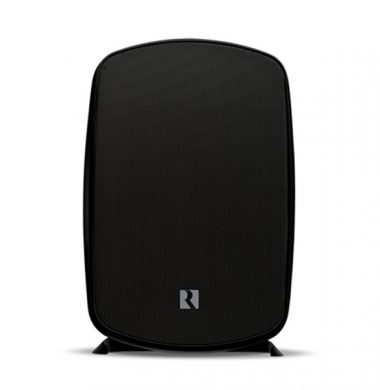
Russound Acclaim 5B55 Outback Speakers MK2 (pair)
£469.00The Russound 5B55 MK2 OutBack Loudspeakers are designed to deliver rich, full sound in extreme environments, such as a backyard, patio, deck, or other areas subjected to temperature shifts and high moisture exposure.
Their high-efficiency design and multiple mounting options allow these speakers to be easily installed on a wall, eave, pole, corner or as a freestanding stereo pair. With a line up of four models, the OutBack speakers are equipped with features to ensure durability in any outdoor conditions.
-
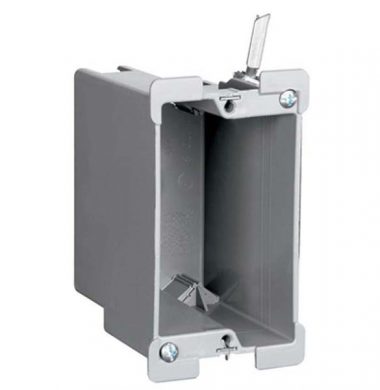
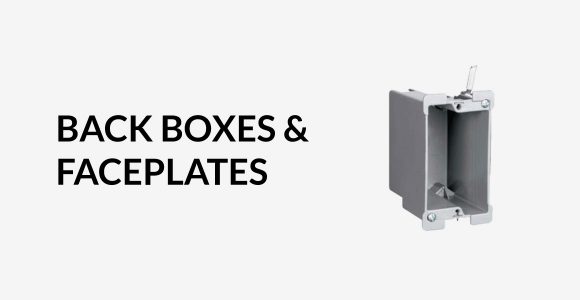
S1-18W US Style 1 Gang J Back Box for Dry Lined Walls
£15.30The Russound S118W is a single gang 1J US Style plastic back box. It is used for plasterboard/stud wall installations with flip out securing arms. The S118-W US Style back box can also be used with cavity/solid walls you would need to secure in place with expanding polyurethane foam.
We also have an alternative product the B114R, click here for further details
Suitable for: American/US style keypads and automation systems
- Please note these single gang US Style Back boxes are suitable for use with Unifi UAP In-Wall 150Mbps AP/Hotspot Unit
- The back boxes are available singularly or in multi packs, check out the savings on the multi packs.
-
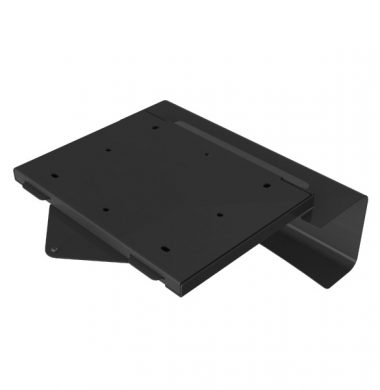
CyberSelect Mount for New Epson TW/200, TW/300, & TW/400 Projectors – Black
£125.40The CyberSelect Techniq Ceiling projector mount previously known as HTPMEP9000 is a slim-line ceiling projector mount which has been purpose made for the Epson E TW7200, TW9200 & TW9200W, projectors. It also fits The Epson EH-TW6600, EH-TW6100, TW7300, TW7400 & TW9400 and commercial equivalents to these. The HTPMEP9000 projector mount comes in Black and White finish to suit your environment.
**This projector mount also fits the TW7300, TW9300, TW7400 & TW9400 Epson projector. Due to the new series having a slightly deeper chassis in design, the cable management system does not fit the new TW-300 and TW-400 series. Therefore with the new projector mount the cable management panel is no longer supplied.
-
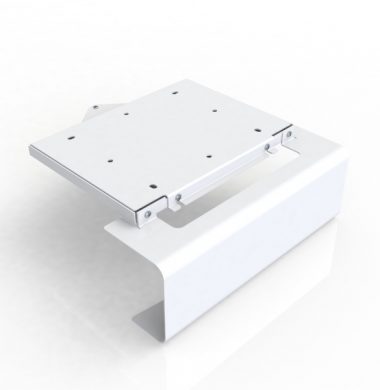
CyberSelect Mount for New Epson TW/200, TW/300, and TW/400 Projectors – White
£125.40The CyberSelect Techniq Ceiling projector mount previously known as HTPMEP9000 is a slim-line ceiling projector mount which has been purpose made for the Epson E TW7200, TW9200 & TW9200W, projectors. It also fits The Epson EH-TW6600, EH-TW6100, TW7300, TW7400 & TW9400 and commercial equivalents to these. The HTPMEP9000 projector mount comes in Black and White finish to suit your environment.
**This projector mount also fits the TW7300, TW9300, TW7400 & TW9400 Epson projector. Due to the new series having a slightly deeper chassis in design, the cable management system does not fit the new TW-300 and TW-400 series. Therefore with the new projector mount the cable management panel is no longer supplied.
-
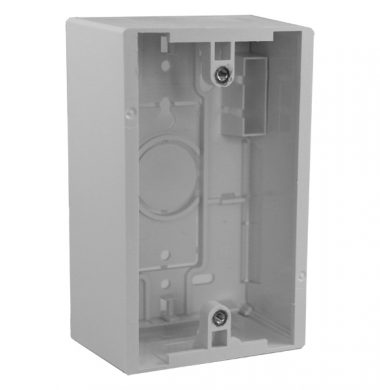
Leviton 42777-1WA US-style 48mm Surface Mount Box, Single Gang
£16.20Leviton 42777-1WA US style single gang surface mount back box (J box) available in 48mm depth. These US Style surface mount back boxes are available in single and double gang with options of 37 mm or 48 mm depth.
These US style J boxes can be used with:
Most US Style 1J Keypads that require no more than 48 mm mounting depth
Ubiquiti Unif UAP-IW In Wall AP/Hotspot 150Mbps Units
Lutron Grafik Eye accessory wall stations
Russound CA4 keypads

PAYMENT GATEWAYS
Payments made easy through our checkout, accepting all major debit and credit cards.
View MoreSECURE PAYMENTS
We use the latest SSL technology which means all your details are kept safe, secure and encrypted.
View More